Three steps from text to speech.
No microphone, no editing, no studio. You bring the line; VoicePlay brings the voice and the timing.
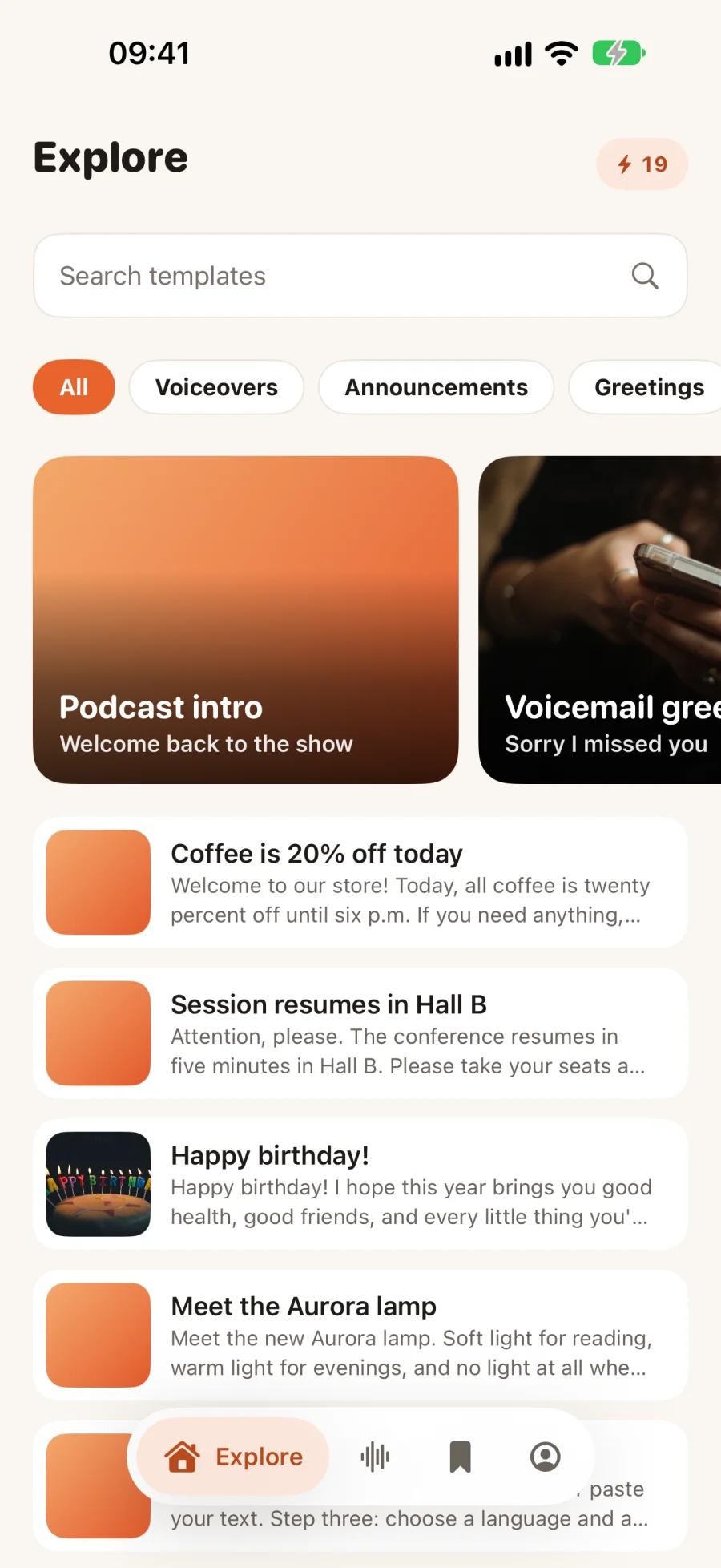
Start with your text.
Type or paste your text, open a template from Explore, or describe what you need and let AI draft the script. Add audio tags like [whispers] or [sighs] if you want to direct the delivery yourself — or tap Auto-tag and let AI suggest them.
- Up to 1,000 characters free, 5,000 with Pro
- Templates for announcements, greetings, stories and more
- Scripts drafted in the language you pick
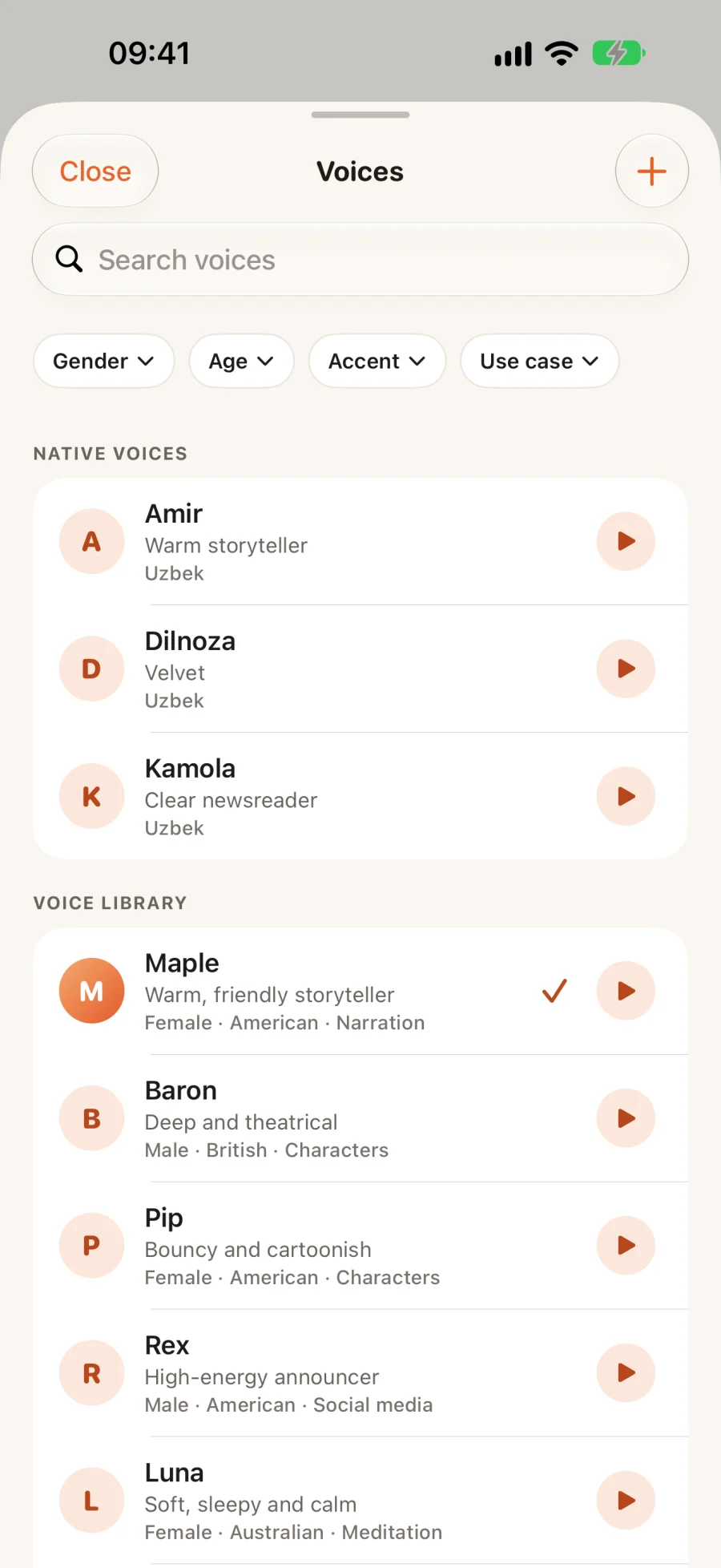
Choose who says it.
Fourteen studio voices — narrators, presenters, storytellers and calm readers — each able to speak English, O‘zbekcha, Русский, Türkçe, Español, Français, Deutsch and العربية. Native voices with their own accent appear for the language you pick. Preview any voice before you spend a credit.
- Pick a speech language per clip
- Preview every voice for free
- Or use a voice you cloned yourself
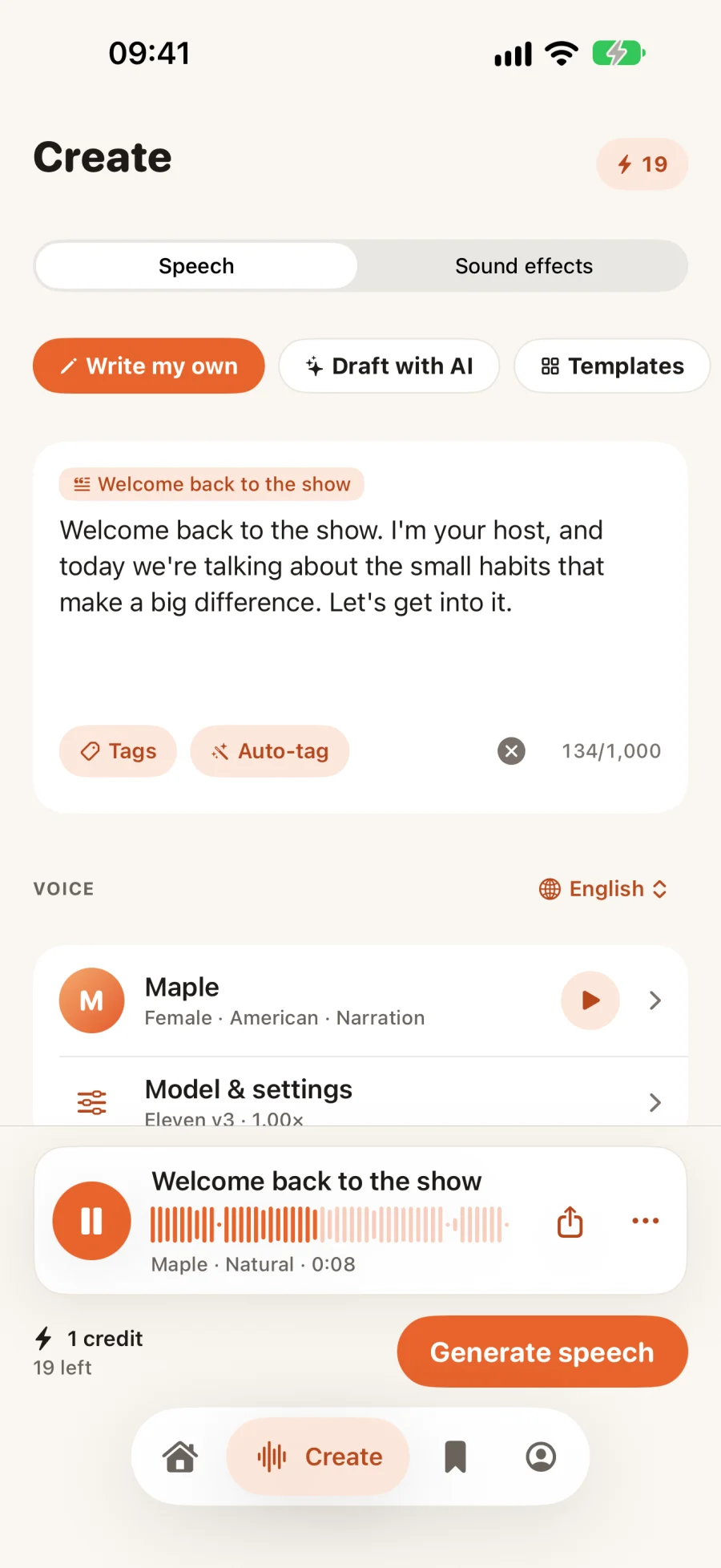
Pick a style, then generate.
A style shapes the delivery: Just the voice keeps it neutral, Dramatic actor adds weight, Sleepy narrator slows right down, Sports commentator speeds up. VoicePlay plans the timing and emphasis, and the audio is ready in seconds.
- Just the voice
- Dramatic actor
- Sleepy narrator
- Sports commentator
Play it. Retake it. Send it.
New takes
Not quite right? Ask for another take of the same text — a more natural or a more dramatic read. Each take is one clip.
Share a link
Every clip gets a page anyone can open and play — no app, no account. Delete the clip and the link stops working.
Your library
Every clip you make is saved to your Library, ready to replay — or delete.
You pay for length, not tries.
A credit covers up to 200 characters of speech (400 with Flash); music is 2 credits per 20 seconds and sound effects 1 per 10. Replaying, previewing voices and failed attempts are free. Sign in with Apple to claim three free credits. Pro adds 100 credits every month, and credit packs never expire.
Made to be obviously AI.
Shared clips are labeled as AI-generated, cloned voices require the owner’s consent, and every share page has a Report button. See the Terms of Use for what isn’t allowed.